


Make Epic Projects For Fun or Profit With a Machine That Fits Any Shop
With a 2x2' work area, the Shapeoko 5.1 Pro 2x2 is small enough to fit in any space, but big enough for a lifetime of projects.
Shapeoko 5.1 Pro 2x2 is not just a CNC Router, it's a complete system of hardware, software, accessories, and training, built and supported in the USA, that will get you up and running as fast as possible, without being left to figure things out alone.
Unlimited Projects...

Signs
Signs are a favorite project for Shapeoko owners (for fun and profit).

Cutting Boards
From the outline of a cutting board, to the juice groove, to a complicated inlay, the Shapeoko 5.1 Pro is a great tool for cutting boards.
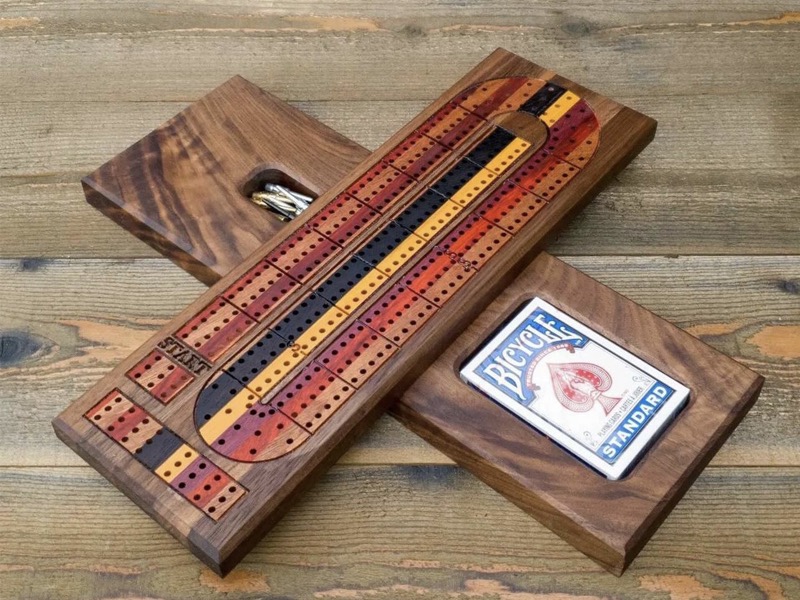
Cribbage Boards
Make cribbage boards for any occasion and any shape, without spending time at the drill press trying to get the holes perfect.
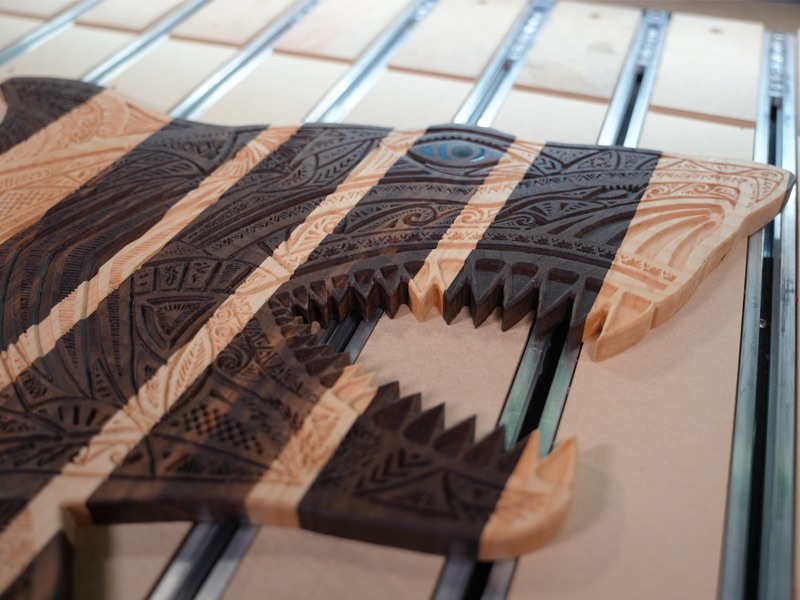
V-Carving
V-carving takes advantage of the 3-axis motion of Shapeoko 5.1 Pro to quickly create engraved features that give your projects real depth.
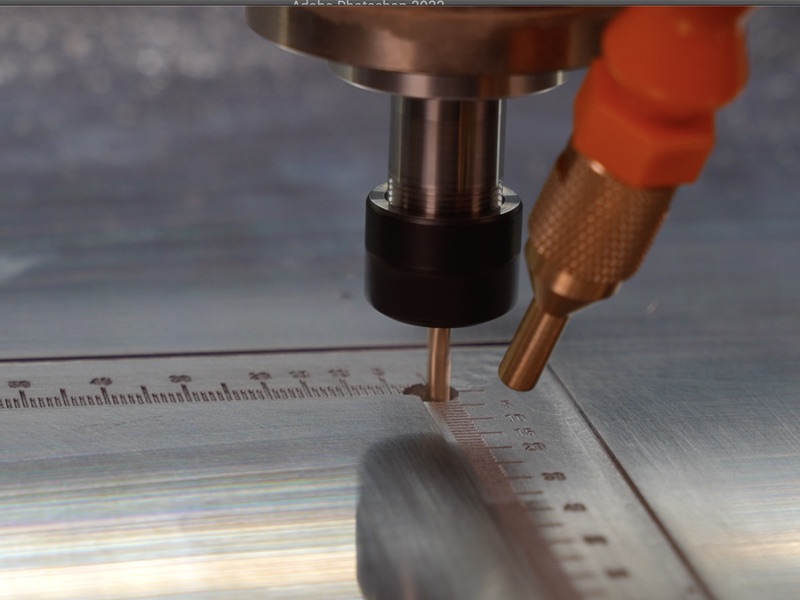
Engraving
Use our engraving bits to mark tiny details into plastic and metal parts.
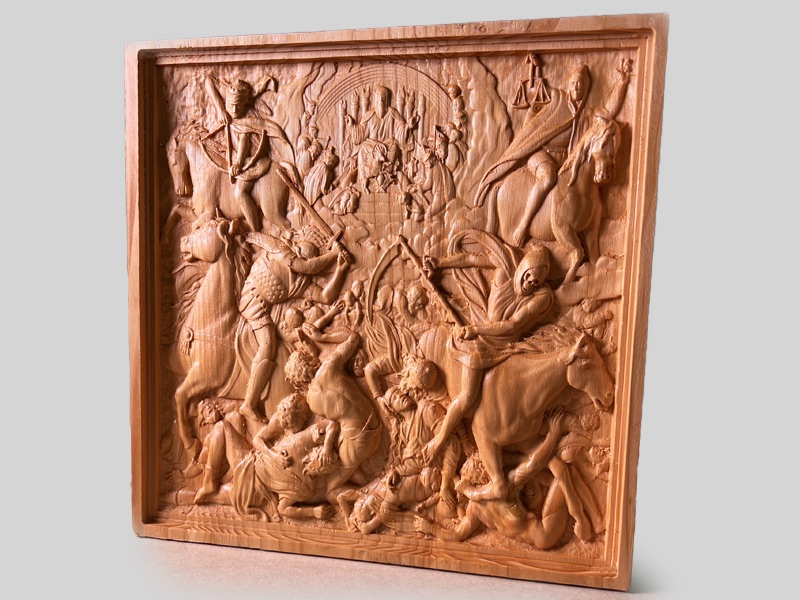
3D Carving
When you're ready for more advanced projects, you can upgrade to our Carbide Create Pro software to generate full 3D projects, either of your own designs or using files from a third party.

Guitar Bodies
Guitars and ukuleles are always popular projects- why buy a custom one when you can make your own?

Joinery
The Shapeoko 5.1 Pro includes the ability to mount stock on the front of the machine, and shift the gantry forward to give you the clearance you need over the front edge of the table.

Boxes
From a simple ring box, to complex jewelry boxes with custom joinery, Shapeoko has the accuracy and precision to make it happen.

Charcuterie Boards
Need a quick gift to take to a party? Charcuterie boards are a fast and easy gift that wows every time.

Inlays
Use the V-carve inlay features in Carbide Create Core to make inlays that would be impossible to do by hand.
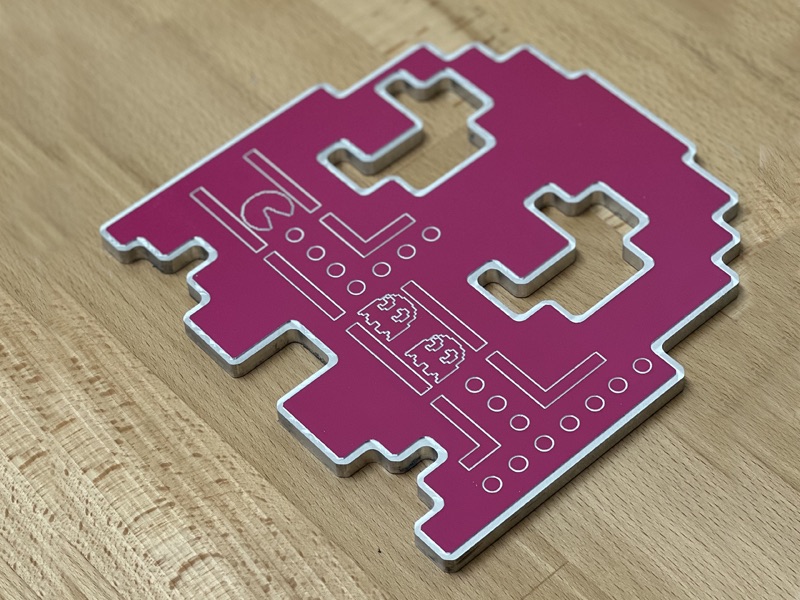
Aluminum Parts
Use a quality carbide cutter, and you'll be able to cut aluminum as easily as wood (just a little slower).
Compact Enough for Your Shop
The Shapeoko 5.1 Pro 2x2 is built to give a solid working area without taking up your whole shop:
- Width: 35.5"
- Depth: 35"
The frame of the machine is made so you have the option to put the machine on a normal 24" deep bench, or use the optional leg kit.
Full specs can be found here.

You Will Be Successful
We've done everything we can to remove the guesswork and frustration from using a CNC router.
- You get design software that's fully supported by us, not some third party.
- You get a comprehensive video training library to get you up and running quickly.
- You get four 1-on-1 training sessions with a Carbide 3D expert to help you get started.
- You get a tool length sensor so multi-tool projects are easy.
- You get a workholding system to make it easy to mount your parts.
Bottom line: If you come into this ready to learn, we're here to teach you.
And, if you damage anything Carbide 3D-branded, we'll replace it for free for the first 60 days of ownership- even if it's your fault. Details can be found here.
You can start working with confidence, not fear of running up a repair bill.

CAD/CAM Software is Included
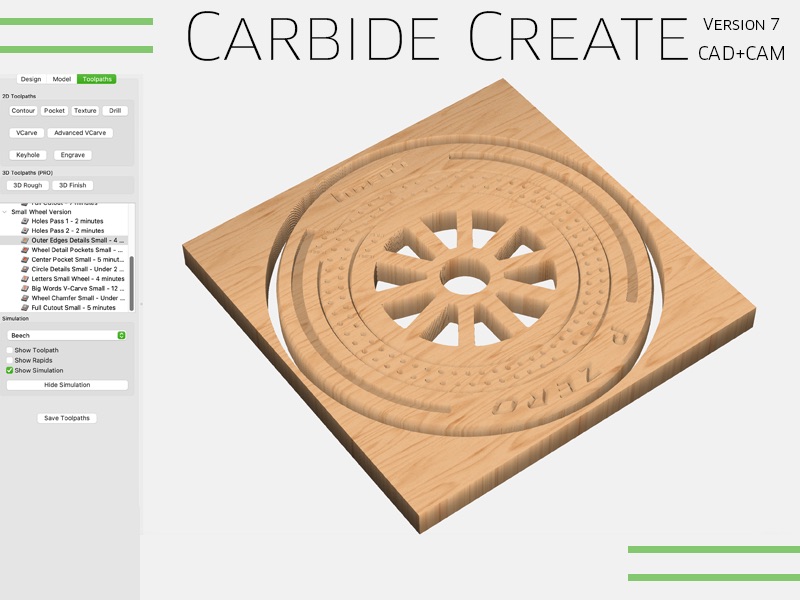
All Carbide 3D machines include Carbide Create Core, our full-featured 2D design and machining program, saving you hundreds of dollars on third-party software.
Whether you're starting from a blank page, or loading a design from the web, Carbide Create has everything you need for your projects. It also comes with a comprehensive video training library to get you up and running quickly.
Because we wrote it and support it, you won't be pointed to another company if you have problems with a project.
Carbide Create runs on your Windows or Mac computer, and you can install it on as many computers as you need to.
Do you have your own CAD/CAM software? No problem, our machines also accept standard G-code, so you can use any software you like.
What's Included?
The Shapeoko 5.1 Pro 2x2 comes with everything you need to get started, including:
- Shapeoko 5.1 Pro 2x2
- The spindle or router you choose.
- Hybrid Table, with T-slot workholding
- Sweepy Dust boot
- Carbide Motion control software
- Carbide Create 2D CAD/CAM software
- #201 .25" Flat Endmill
- Teez-Nutz T-Nuts
- Workholding Clamps
- BitSetter Tool Length Sensor
- Assembly tools
- Four 30 minute 1-on-1 training sessions with a Carbide 3D expert via video chat
What Else Do I Need?
The only things you need to provide are:
- Mac or Windows computer.
- Shop Vacuum.
See our popular accessories for other items you might want.

Shapeoko Is a Complete CNC Experience
CNC machines that are missing critical parts are frustrating and expensive. They cause you to spend time and money completing a machine you bought to make parts. We never want to put a customer through that, so the Shapeoko 5.1 Pro is a complete package with everything you need to get started.
After all, you're buying a CNC router to complete your projects, not to turn the machine itself into a project.
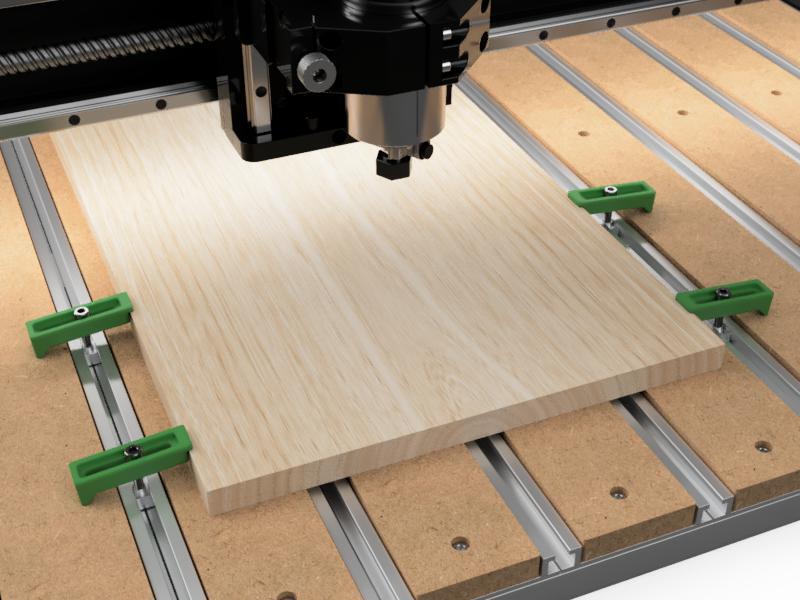
Workholding
Shapeoko 5.1 Pro is based on our Hybrid Table that includes T-slot workholding and a set of clamps to go with it.
Workholding is one of the most challenging parts of CNC, and the Hybrid Table gives you more options than any other system.
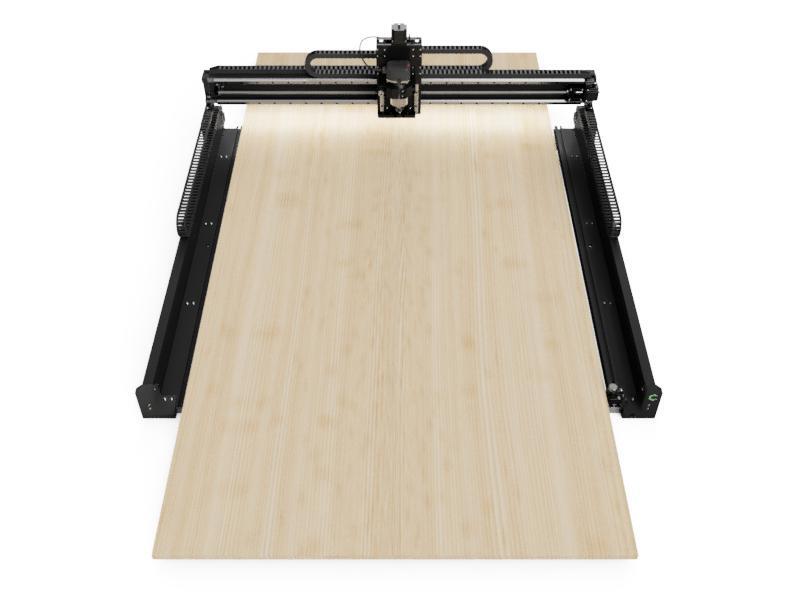
Index Larger Jobs
Shapeoko 5.1 Pro is open front-to-back, so you can index larger jobs through the machine.
If you need to fit full width sheets, check out our 4x4 and 4x2 Shapeoko 5.1 Pro.
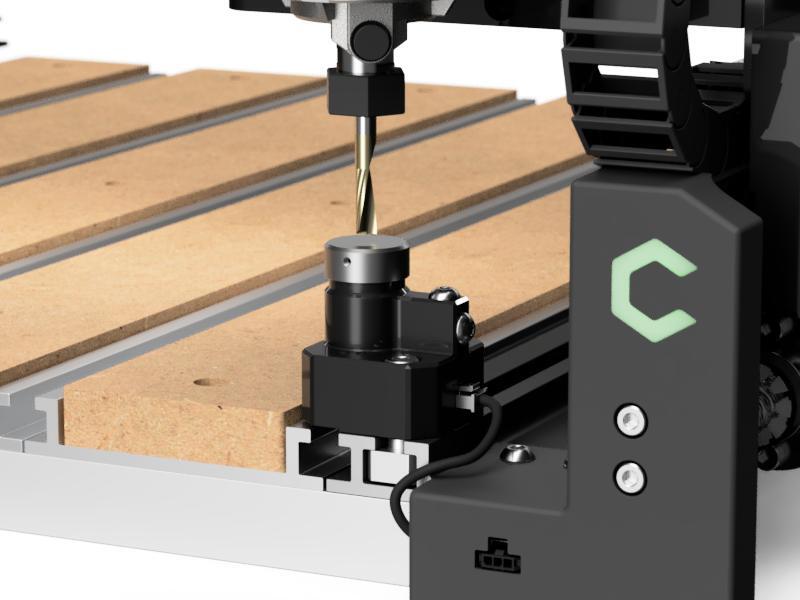
BitSetter
Shapeoko 5.1 Pro includes BitSetter, our system to make tool changes a breeze using a combination of custom hardware and software.
We created BitSetter years ago for our original Nomad Desktop CNC Mill, and it's been a staple of Carbide 3D machines ever since.
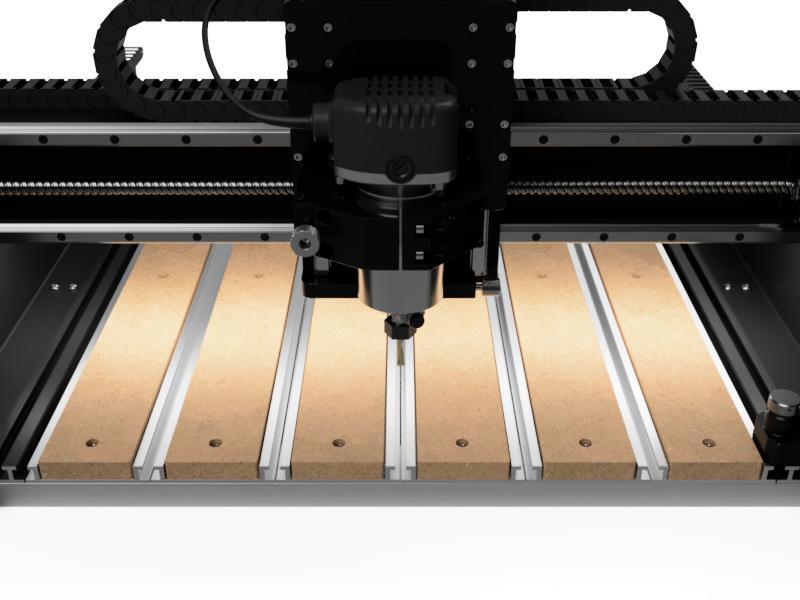
Lighted Gantry
Shapeoko 5.1 Pro includes LED lighting under the gantry to make it comfortable and easy to see your work.
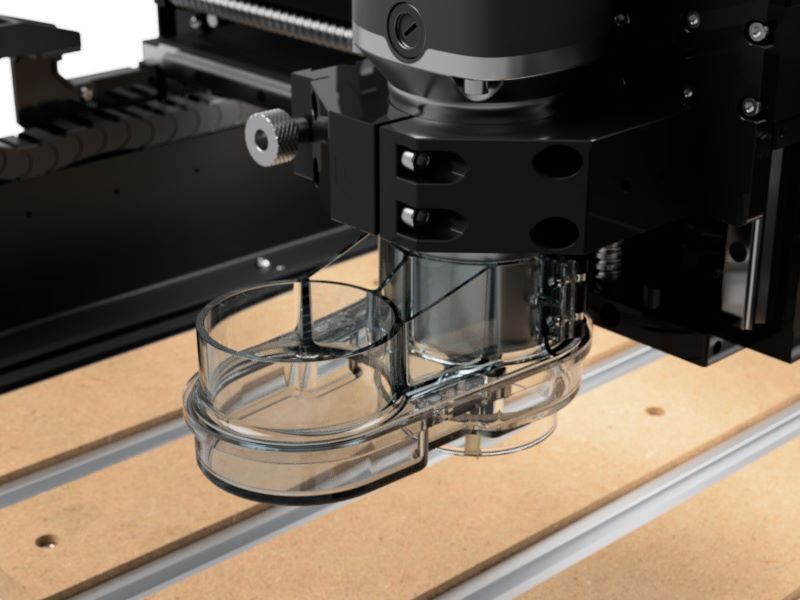
Dust Collection
You don't want dust and chips getting into precision mechanical parts so dust collection is critical for a CNC router. We include our Sweepy V2 Dust Boot as a simple and effective way to keep your machine clean.
You provide the shop vacuum, and we've got the rest covered.
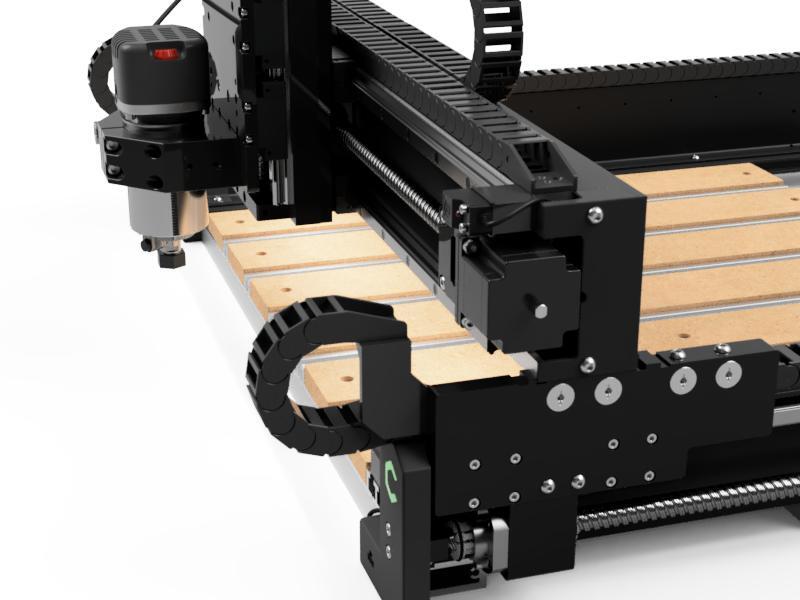
Gantry Shift for Joinery
If you need to tip up a board for joinery work, like tenons or dovetails, you can shift the gantry forward by 3.2" to give you the clearance you need over the front edge of the table.
Video Training Library
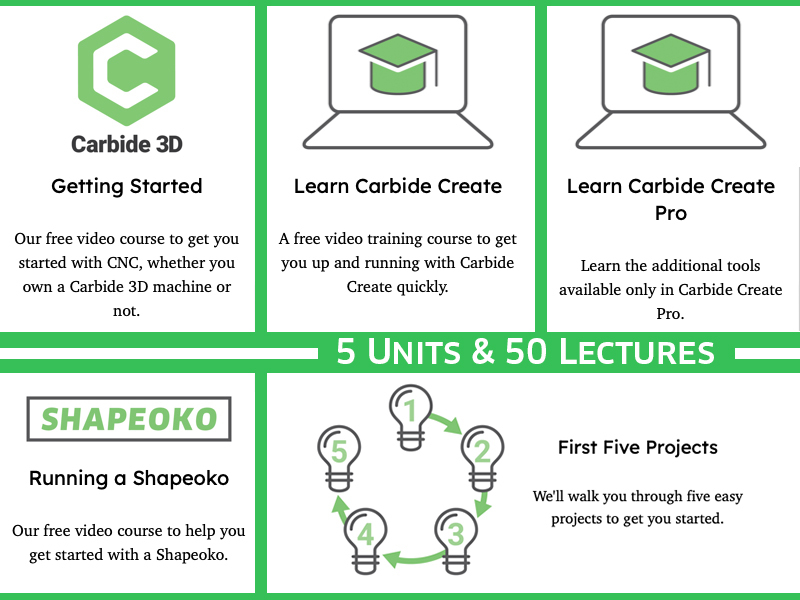
You'll have access to a 5-hour video training library that covers everything from how to run your Shapeoko, how to use the design software, and five projects to get you started.
One-on-One Training
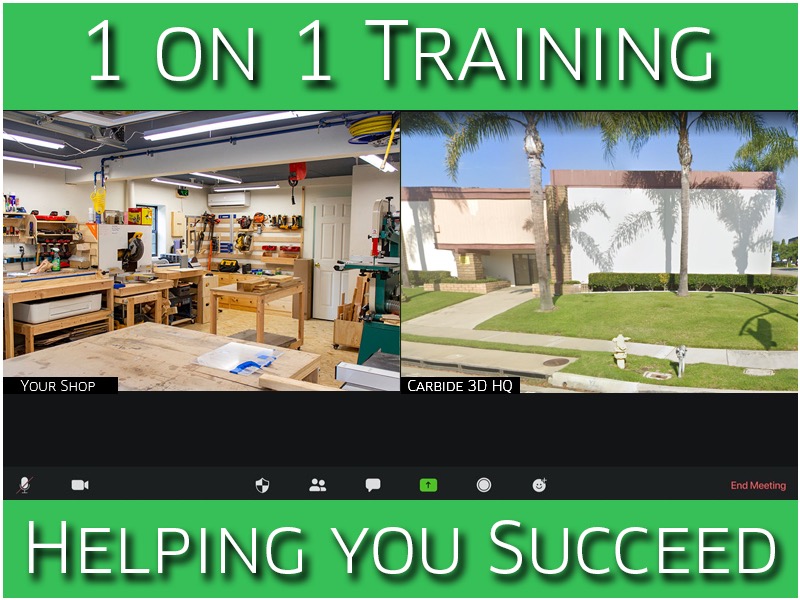
Your machine comes with 4, 30-minute video sessions with a Carbide 3D expert to help you get started.
We'll help you get your machine set up, teach you how to use Carbide Create, and/or answer any questions you have about your machine.
60-Day, Mistakes Are on Us
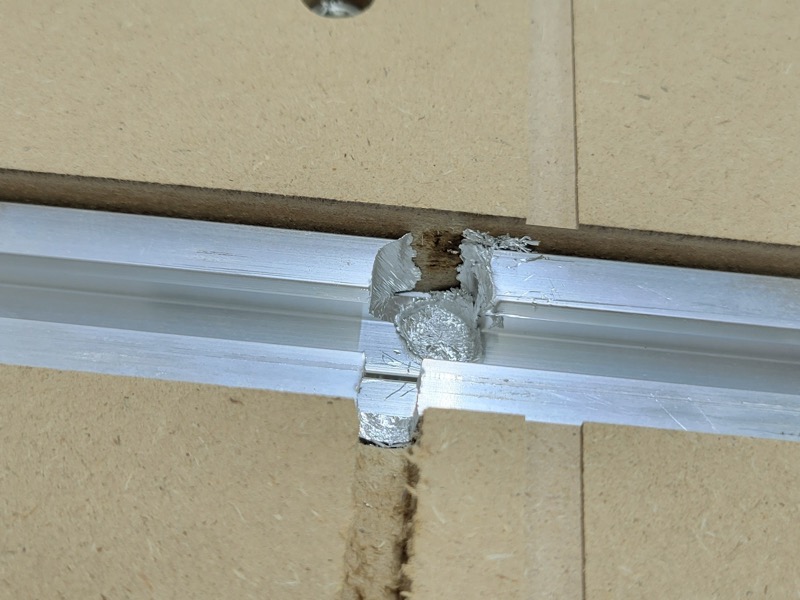
For the first 60 days that you own your machine, we'll replace or repair any Carbide 3D-branded item that gets damaged, even if it's your fault!
This is in addition to our standard one-year warranty on all parts and electronics.
We want you to get up and running quickly, without fear. See more here.
High-Performance, Heavy-Duty Motion System
Shapeoko 5.1 Pro is built from a rigid base, custom extrusions, linear rails, and ballscrews. We follow industry best-practices; there's no stunt engineering here.

Hybrid Table
Shapeoko 5.1 Pro is built up from our Hybrid Table. In addition to being a great workholding system, the Hybrid Table gives the Shapeoko 5.1 Pro a solid foundation on which to build the rest of the machine.
HG-15 Rails
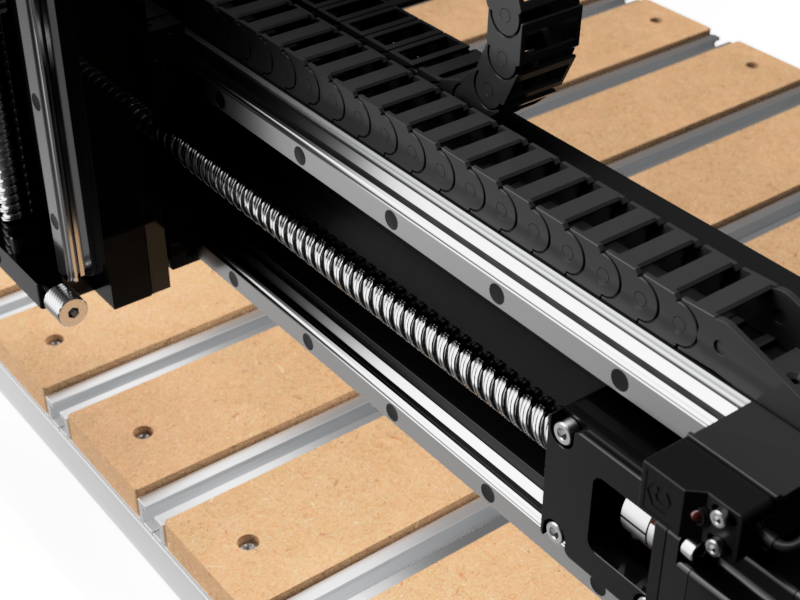
Shapeoko 5.1 Pro uses HG-15 linear rails on every axis. These rails are built for much larger, heavier machines and they give the Shapeoko 5.1 Pro its fantastic performance.
The HG-15 rails are sealed and plugged to keep dust away from the bearings themselves, so you get maximum durability in a rough environment.
Ballscrews
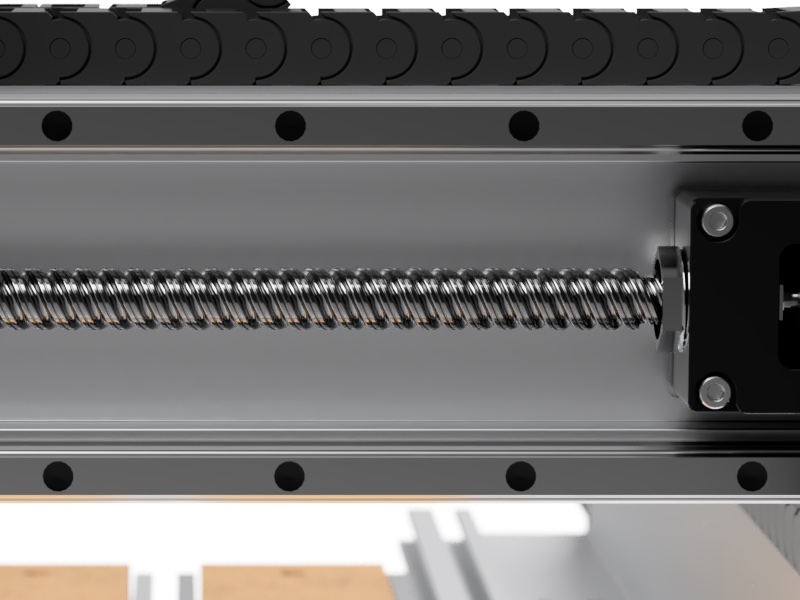
On the X and Y-axis we use 16mm ballscrews with a 20mm pitch to ensure that we maintain the rapid movement that Shapeoko has always been capable of while adding a ton of rigidity.
Our ballscrews include custom-made wipers to remove as much dust as possible to keep your machine working for a long time.
Ballscrews Mounts
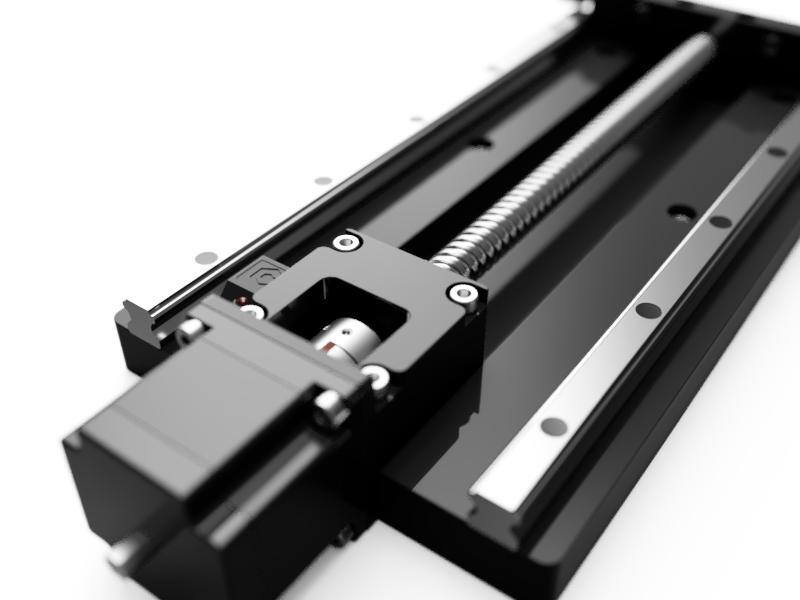
Where the ballscrews mount to the machine, we use two angular-contact ball bearings to keep backlash, or any other movement, to a minimum.
HDZ Z-Axis
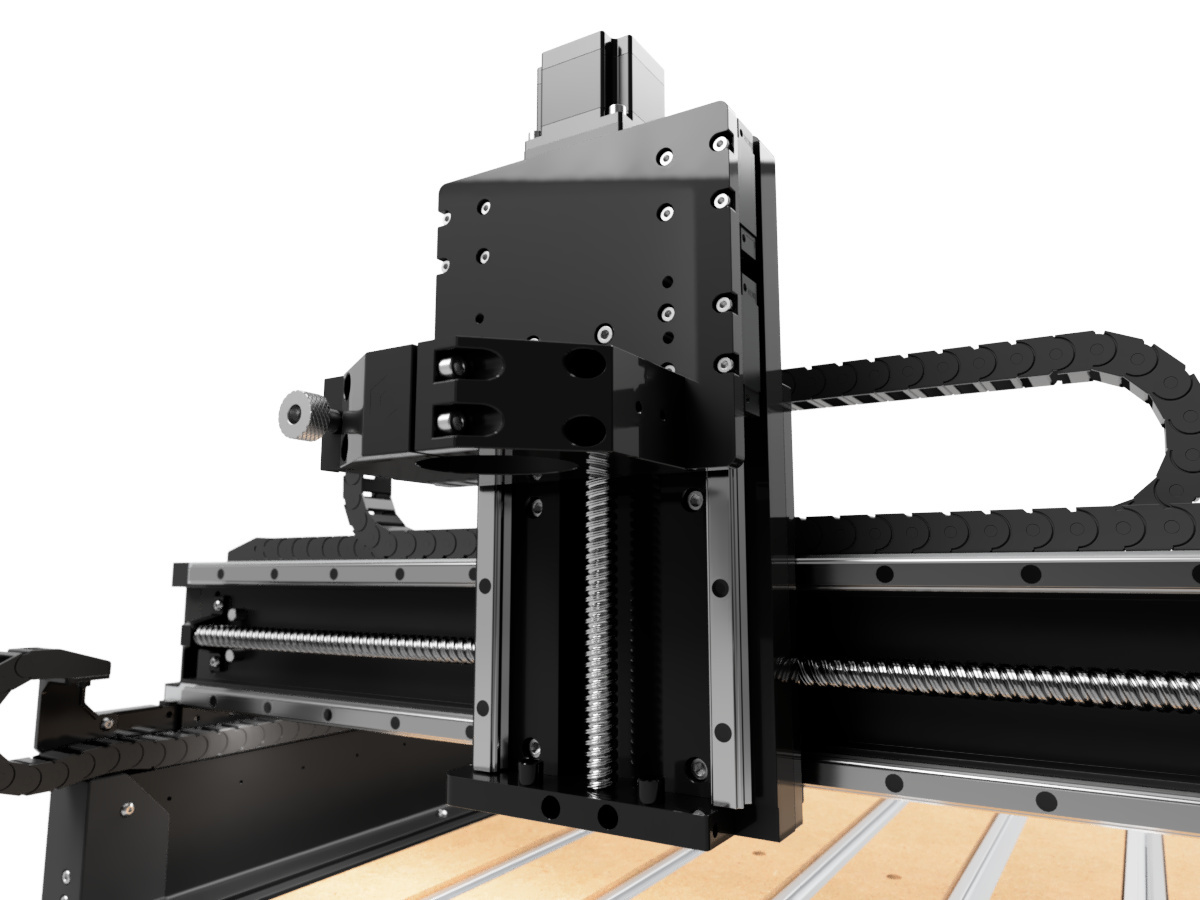
For the Z-axis we use a 1610 ballscrew so that the machine can easily lift a heavy 80mm spindle. In fact, the Z-axis was taken from the Shapeoko HDM and modified for the Shapeoko 5.1 Pro. It's the beefiest Z-axis we've ever made.
Fully-Supported Rails
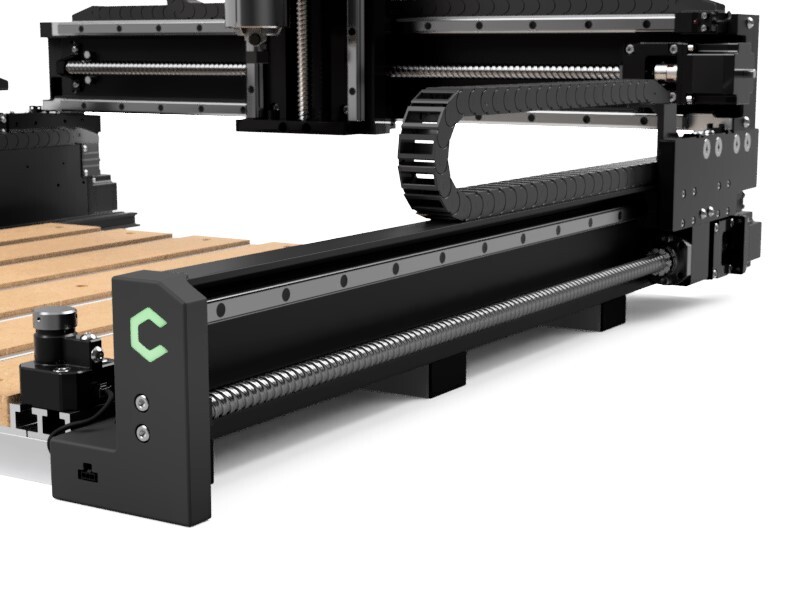
We mount our rails to custom extrusions designed to support the entire length of the rail.
You won't see deflection or twist as the machine moves, so you'll get cleaner cuts with less chatter.
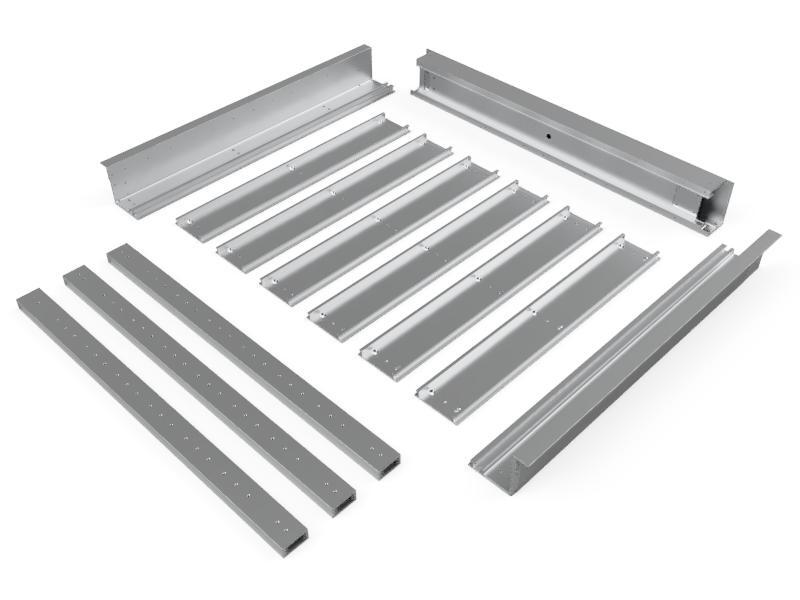
Precision-Machined Extrusions
We don't mount motion hardware to T-slots.
All of our extrusions are precision-machined in-house on industrial machining centers for maximum accuracy.
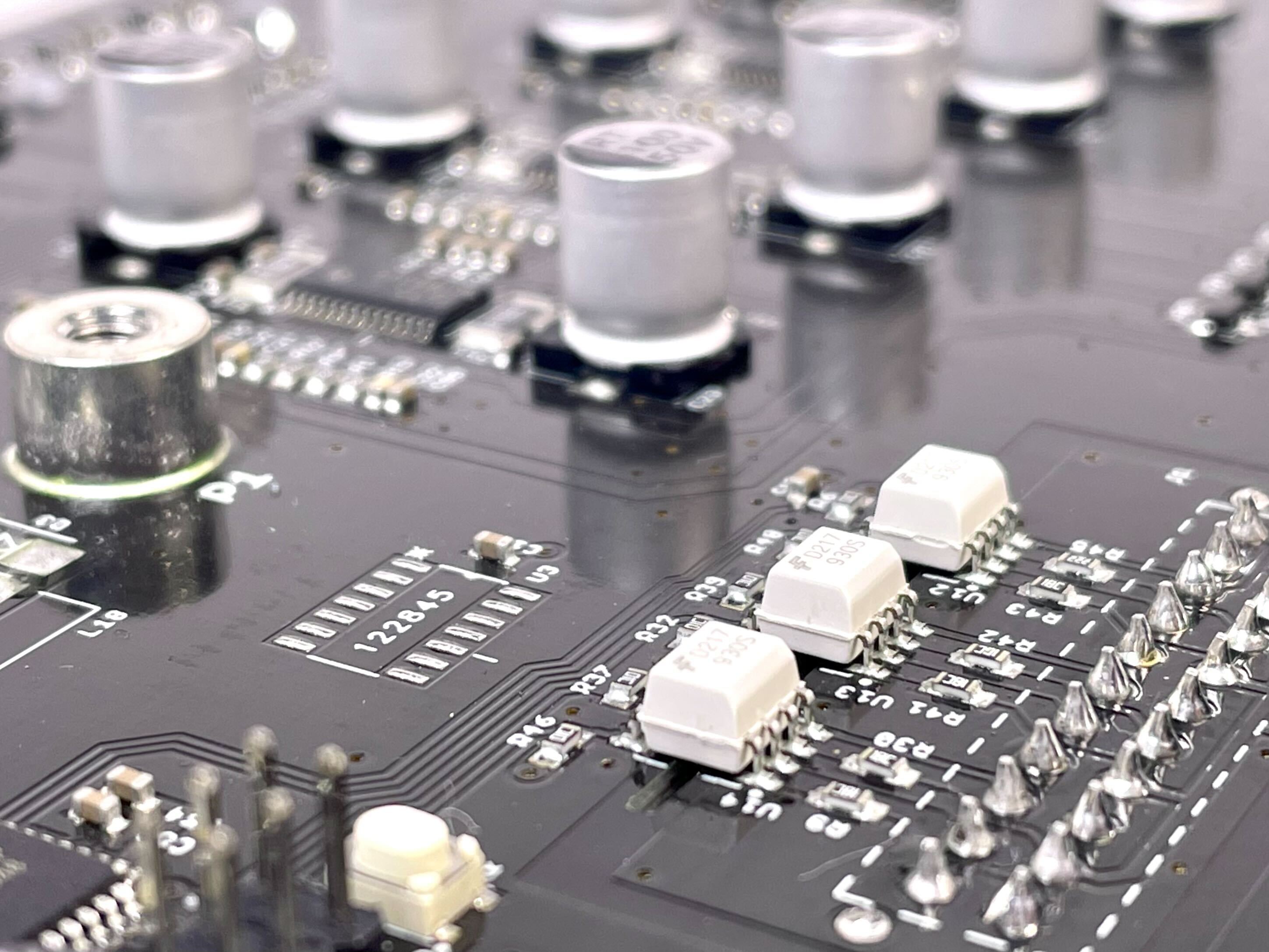
Optically-Isolated Electronics
Our latest generation of electronics are optically-isolated and now uses a high-quality internal power supply to keep as much noise out of the system as possible.
Spindles and Routers
Shapeoko 5.1 Pro uses either a trim router or a VFD spindle for the actual cutting. Our Carbide Compact Router is a cost-effective option that's great for beginners and professionals alike.
The Carbide Compact Router is designed for 110V operation, so if you're in a country with 220V power, you should grab a Makita RT0700C locally.
If you're looking for more power, you can upgrade to our Carbide VFD Spindle.
Not sure which spindle to choose? Read our spindle comparison to learn more about the differences between the Compact Router and the VFD Spindle.
Shapeoko 5.1 Pro 2x2 Specifications
| Materials to Cut | |
| Wood | All types of wood |
| Plastic | Most plastics, including ABS, Acrylic, Polycarbonate, Delrin, HDPE, PEEK, PVC |
| Metals | Aluminum, Brass, Copper (Some alloys are more suitable for machining) |
| Machine Specs | |
| Ballscrew X/Y | 16mm diameter, 20mm pitch with custom wiper |
| Ballscrew Z | 16mm diameter, 10mm pitch |
| Linear Rails | HG-15 |
| Homing Switches | Inductive sensors with Dual Y homing |
| Ballscrew Accuracy | +/- 50um per 300mm |
| Step Length X/Y | .012mm |
| Step Length Z | .006mm |
| Spindle Mount | 65mm Diameter |
| Total Z Travel | |
| Total Z Travel (With Sweepy Pro) | |
| Clearance from table to Z axis with Hybrid Table | |
| Clearance from table to Z axis without Hybrid Table | |
| Gantry Shift distance for joinery | |
| T-Slot Spacing | Center-to-center |
| Voltage | 110V or 220V, auto-switching |
| Amperage | 4A (Machine Only) |
| AC Plug | IEC C14 connector to NEMA 5-15P (Standard US plug) |
| Size 2x2 | |
| Machine Travel | (X) x (Y) |
| Machine Footprint | (X) x (Y) x (Z) |
| Shipping Box 1 | x x , |
| Shipping Box 2 | x x , |
| Shipping Box 3 | x x , |
| Computer Requirements | |
| Windows | Windows 10 or 11, 64-bit (Intel or AMD) |
| macOS | OS/X 13 or higher (Apple Silicon) |
Warranty and Support
One-Year Warranty
Shapeoko comes with a one-year warranty against defects. If you have any problems, we’ll take care of them.
See our warranty here.
60-Day, "Mistakes Are on Us" Guarantee
We want you to jump into your new Shapeoko CNC router without any fear of damaging anything so our warranty includes the following benefit:
For the first 60 days that you own your Shapeoko, we’ll replace any Carbide 3D-branded item that’s damaged, even if it’s your fault.
Details about what's covered can be found here.
1-on-1 Training
We want you to be successful with your Shapeoko CNC router. That’s why we offer four 30-minute 1-on-1 training sessions with a Carbide 3D expert via video chat. We’ll help you get your Shapeoko up and running, answer any questions you have, and help you get started with your first project.
Details can be found here.
Support
Aside from the lost time and money, the worst thing about piecing together a CNC router and software from multiple vendors is that there's now nobody to speak with if you need help: they're all going to point to the other company. At Carbide 3D, we support the whole process, start to finish with our machines and software.
- We support our machines and software here in the US.
- We're here to help you troubleshoot any problems you have.
- We'll even help you with project-specific problems to get you started, not just machine problems.
If you need help, we are available via:
- Phone
- Video Chat
- Contact us here.
Frequently-Asked Questions
- ▼How big does the table need to be for the machine?
-
The 'machine footprint' number in the specifications section shows the actual size of the machine. That is a good table size to fit completely under the machine. The actual structure is only 24" deep, so it's OK to put the machine on a normal 24" bench.
- ▼Can Shapeoko 5.1 run 3D toolpaths?
-
Yes! Shapeoko can run 2D or 3D toolpaths with all motors moving simultaneously.
- ▼How loud is Shapeoko?
-
Shapeoko itself is very quiet. All of the noise comes from the spindle (a trim router) and the shop vacuum.
- ▼Can I upgrade the size of my Shapeoko 5.1 Pro?
-
You cannot upgrade the size of a Shapeoko 5. Upgrading from one size to another doesn't save much money compared to the price of a new machine.
- ▼What spindles can Shapeoko 5.1 use?
-
Shapeoko 5.1 Pro can use any 65mm spindle including the Carbide Compact Router, Makita RT0701C trim router, or our VFD spindle.
- ▼Is Shapeoko 5.1 Pro compatible with Vectric software?
-
We have a lot of users running Vectric software with their Shapeoko. See more here.
- ▼Is Shapeoko 5.1 Pro compatible with Fusion 360?
-
Fusion 360 comes with a Carbide 3D post processor that works with Shapeoko. See more here.
- ▼Can Shapeoko 5.1 Pro cut wood?
-
Shapeoko 5.1 Pro can cut any type of wood from pine, to MDF, to hardwoods like white oak.
- ▼Can Shapeoko 5.1 Pro cut plastic?
-
Shapeoko 5.1 Pro can cut any common plastic including ABS, acrylic, polycarbonate, Delrin, HDPE, and PEEK
- ▼Can Shapeoko 5.1 Pro cut aluminum?
-
Shapeoko 5.1 Pro can cut aluminum but it will cut slower than wood and plastic so you'll want to take your time with it.
- ▼Can Shapeoko 5.1 Pro cut brass?
-
Shapeoko 5.1 Pro can cut brass but it will cut slower than wood, plastic and aluminum so you'll need to take your time with it.
- ▼Can Shapeoko 5.1 Pro cut metal?
-
Shapeoko 5.1 Pro can cut brass and aluminum but harder metals, like steel or stainless steel, are not recommended. We have users that have done it, but cutting steel takes a lot more skill and experience.
- ▼Is the software free?
-
Shapeoko 5.1 Pro works with most free CNC software, but it also includes our Carbide Create Core so there's nothing more to buy.